Mr. Jiggles
| Points | Difficulty | Category |
|---|---|---|
| 100 | Beginner | Forensics |
Description
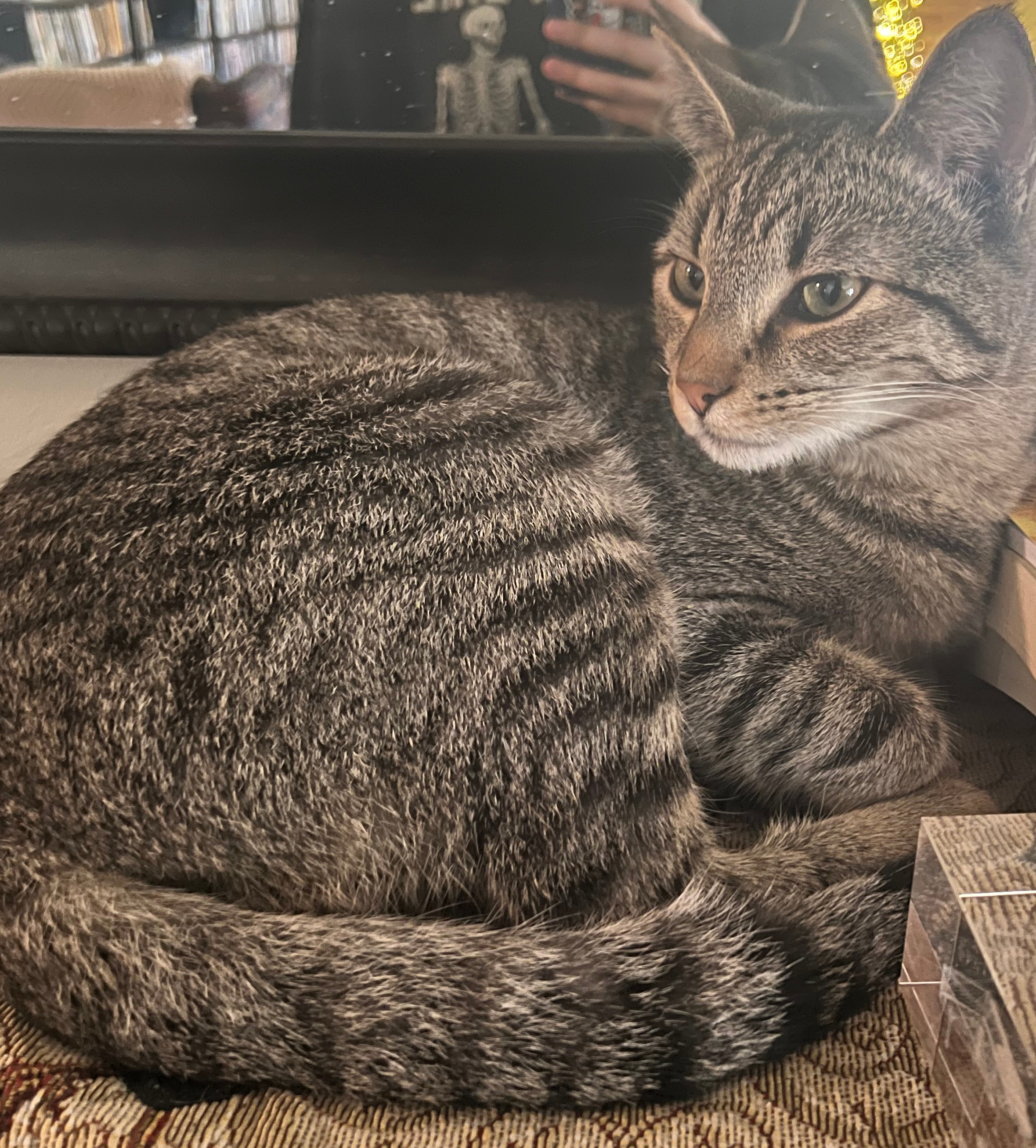
Mr. Jiggles my pet cat ran away and when I put up flyers this was the photo I used. I feel it really captures his catty essence. Regardless, I think it would have been helpful if I had been able to extract data about him and maybe learn more about his whereabouts. (He came home 2 weeks ago don’t worry.)
Objective
The objective of the challenge is to extract data about Mr. Jiggles and possibly learn more about his whereabouts.
Flag Format
The flag format will either be: SVBRG{This_is_a_Flag} or SVIBGR{This_is_a_Flag}
Tools Used
Terminal, Binwalk, and CyberChef
Methodology
Open the computer Terminal, type cd followed by a space, drag and drop the folder where the image is located into the terminal window. It looks something like this:
cd /Users/yourname/Desktop/my_images
Press Enter, run the following command, and hit Enter again:
strings your_image_name.jpg
Replace your_image_name.jpg with the actual name of your file.
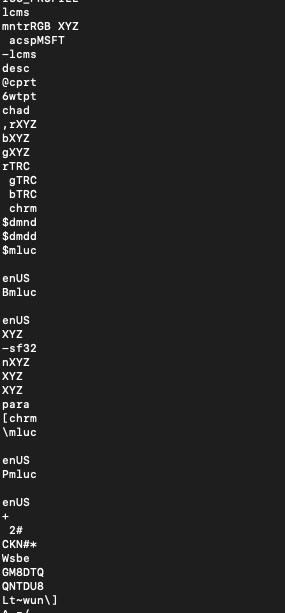
In the terminal, I noticed a bunch of gibberish appeared (letters and numbers):
I then installed binwalk in the terminal since the data wasn’t written in plain text. However, binwalk took forever to install.
Note to self and readers: Remember to install any necessary software prior to the challenges. However, in my case, having an older version of a computer creates limitations in the type of applications or softwares that can be installed. As such, I had to work with what I got and only installed programs during the process because we really don’t know which programs are needed until you are working on the challenges.
I did have Linux installed which covers many of the basic programs, including binwalk, but even running Linux takes up lots of computer storage space. Alas, the woes of having an older computer, but where there is a will, there’s a way.
Next, I remembered from a previous CTF challenge, CyberChef, which helps decode or decipher encoded text and I quickly pivoted.
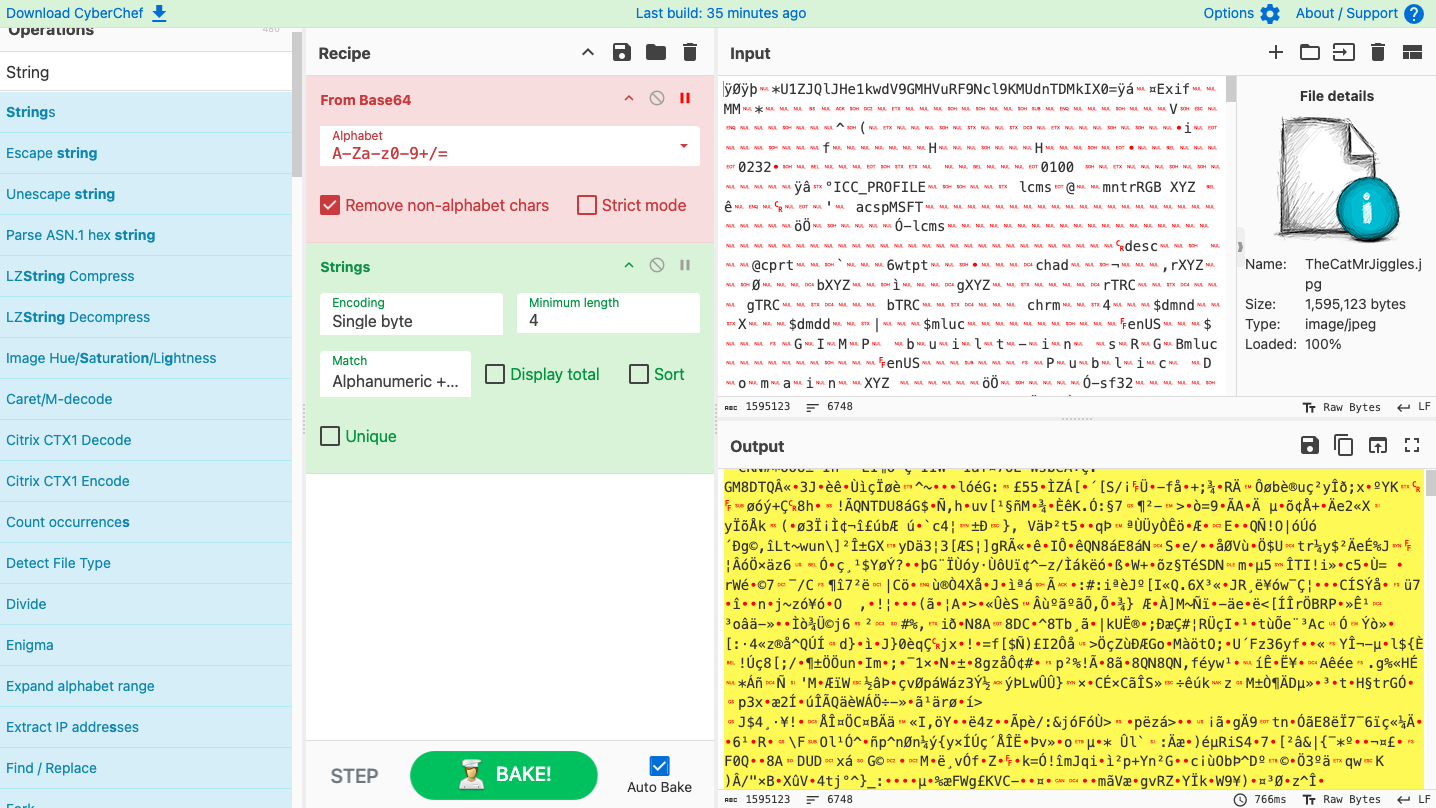
At this point, I started testing a few common decoding techniques to see if one of them would reveal something useful.
- First, I opened Terminal and highlighted and copied the weird text that looked like gibberish which I found in the image.
- Next, I went to CyberChef and pasted the text inside the Input box located in the top right corner.
Since the text look like letters and numbers and had micro tiny red symbols such as $/^}_: I started with the most common operations:
- Dragged
From Base64from the left sidebar into the Recipe column, but that didn’t work. - Dragged
Stringsoperation which helped to remove the red symbols.
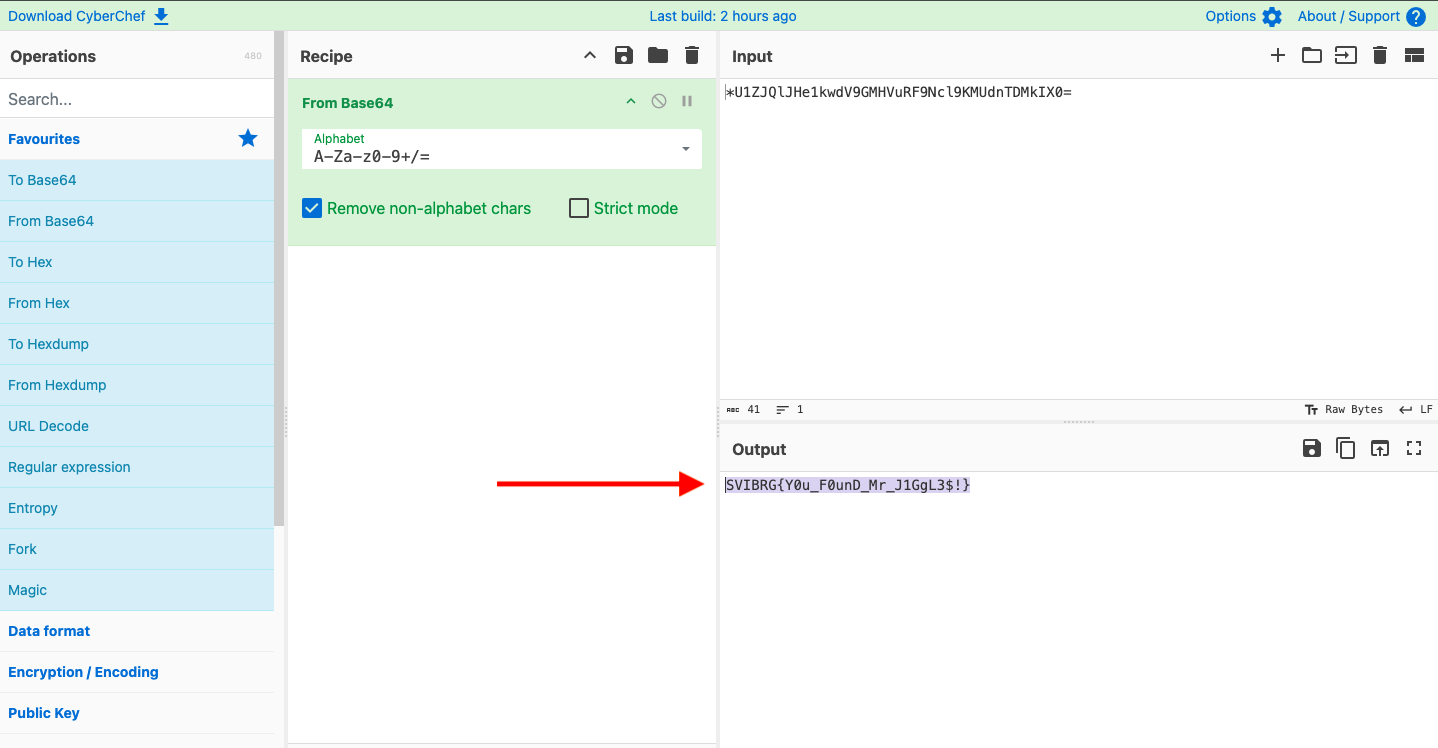
Finally, the Flag appeared :-)
Flag
SVIBRG{Y0u_F0unD_Mr_J1GgL3$!}
MITRE ATT&CK
Reflections | Suggestions | What was the Attacker Doing?
In this challenge, the cat owner wanted to know more information of its cat from the photo they used in the flyer. Here, it’s the victim and not the adversary seeking intelligence. MITRE ATT&CK is from the attacker’s perspective, not the defender’s or analyst’s perspective. Thus, I believe there is no direct MITRE ATT&CK mapping identified in this challenge.
However, let’s view it from a different perspective and flip the script. Suppose someone else gave the owner the photo with malicious intentions which creates a code on the victims system. As soon as the cat owner downloads the photo to create the flyers, they get a malware on their computer.
Adversaries may use steganography techniques in order to prevent the detection of hidden information. Steganographic techniques can be used to hide data in digital media such as images, audio tracks, video clips, or text files. For example, hackers can hide PowerShell commands in an image file (.png) and execute the code on a victim’s system, which can gather intel from the victim’s machine and communicate back to the adversary.
Obfuscated Files or Information: Steganography
| Field | Details |
|---|---|
| ID | T1027.003 |
| Tactic | Stealth |
| Mitigation | This type of attack can’t be easily mitigated since it’s an abuse of system features. |
| Detection Strategy | ID-DET0119, Steganographic Abuse in File & Script Execution. AN0333: Detects manipulation of PNG, JPG, or GIF files by user-initiated scripts followed by script execution or exfiltration behavior, especially from osascript, python, or bash, in combination with LaunchAgent persistence or curl activity. |
Source: https://attack.mitre.org